Record or drop files
Capture in the browser, or clear a backlog in one batch. Cut dead air off either end before it ever uploads.
Speaker-separated transcripts, AI summaries and a chat that answers from your meeting — in Thai and English, in the browser, no install.
Sign-in is restricted to Cleverse accounts — hello@synogram.app
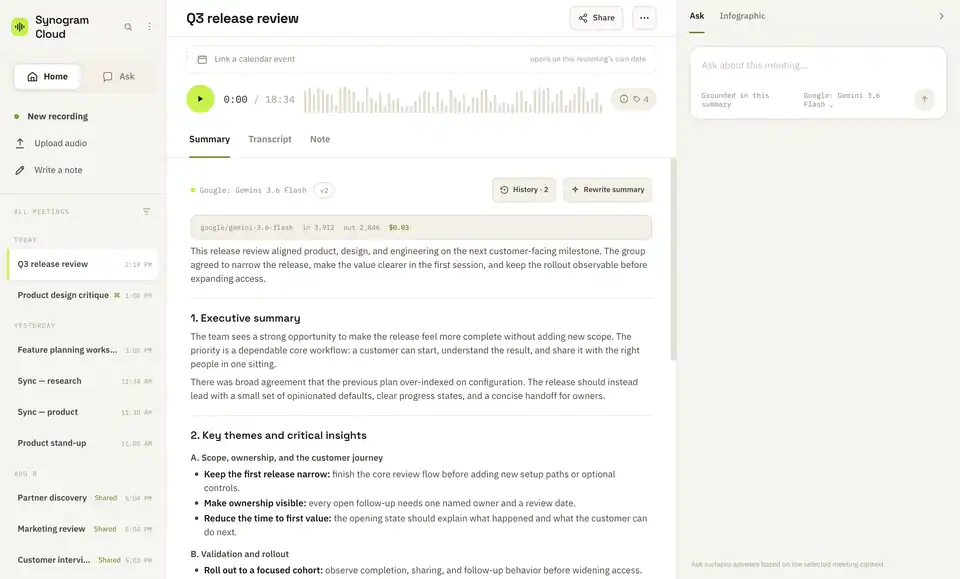
Capture in the browser, or clear a backlog in one batch. Cut dead air off either end before it ever uploads.
Speakers separated with timestamps you can click. The summary picks a shape that fits the meeting, not a template.
Get scope-aware answers, keep every summary revision, and share at two intentional levels of access.
Hit New recording to capture audio in the browser — no install. Choose the language, expected speakers and whether Synogram should name the meeting when it's done.
Have a folder of recordings? Drop them together. Every file becomes its own meeting, with one set of settings for the whole batch.
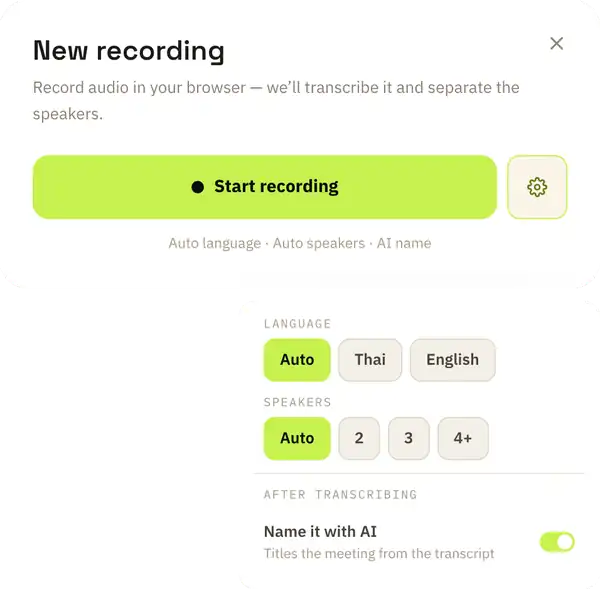
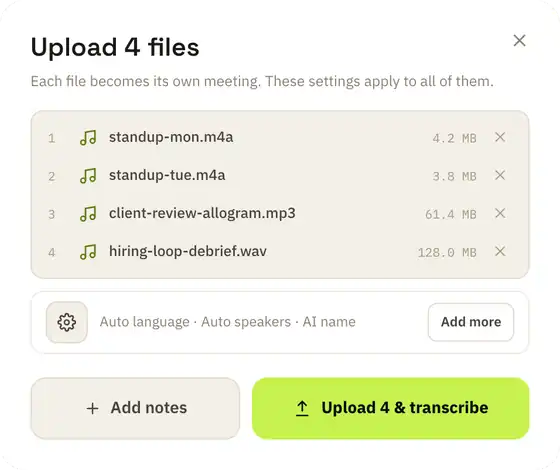
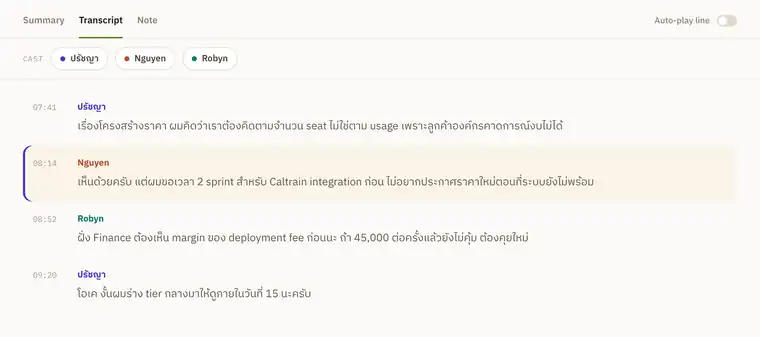
Speakers separated and timestamped. Rename a speaker once and the name carries through the transcript, the summary and search. Click any line to hear it.
The summary adapts to the meeting. Regenerate it, refine it in plain language — "add action items", "translate to Thai" — and restore any version from history. Owners can turn a chosen version into a shareable infographic.
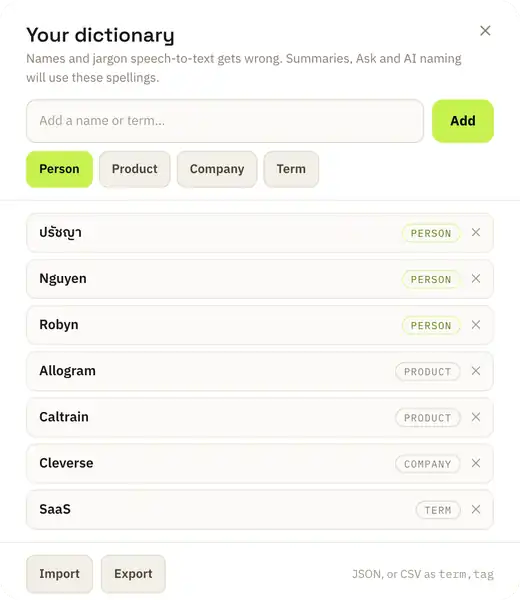
Speech-to-text gets names and internal terms wrong — especially Thai names, English loanwords and product codenames. Add them once and they're supplied to transcription, the summary, Ask and AI naming.
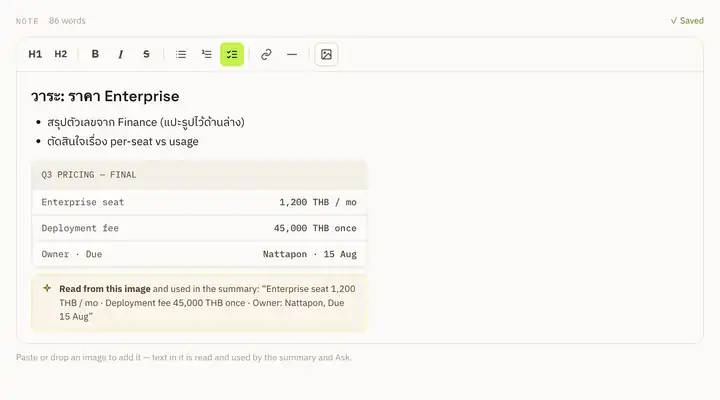
Keep a rich-text note with the meeting — agenda, links, checklists, and what people said before Record. Paste a screenshot and Synogram reads the text inside it, so the numbers in a finance table reach both the summary and Ask.
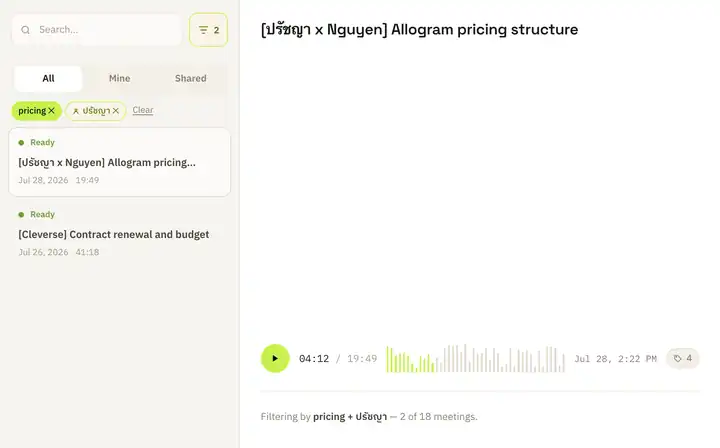
Search runs across titles, summaries and transcript text. Tag by topic, client or project — or take the tags Synogram suggests after transcription — then combine tags and speakers to narrow the archive.
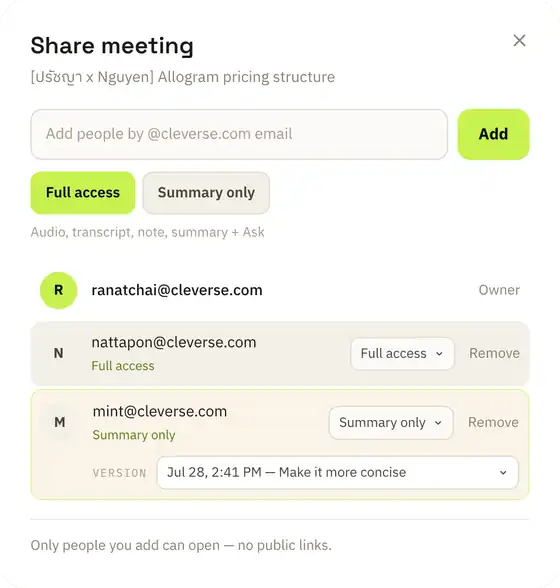
Share by colleague email — never a public link. Summary-only readers get the summary, and their Ask answers from the summary alone: it can't be talked into reciting a transcript it was never given.
Ask is a workspace, not a throwaway chat. A thread is bound to one meeting — or, when your organization enables it, to every meeting you can access. The scope stays visible, so an answer never quietly changes what it's allowed to read.
The off-the-record part never reaches storage or transcription.
Built for code-switching, loanwords and names generic tools miss.
Pick a version and turn a summary into an infographic you can share.
Match a recording to its Google Calendar event and agenda. Read-only.
A linked Notion page is read at summary time, not copied.
Thumb-first layout, larger text, and an Ask destination of its own.
Finished transcripts, summaries and shares appear on their own.
Share a conversation read-only; citations stay within what the reader can open.
Synogram speaks MCP, so an AI client reads your meetings where you already work — with no transcript pasted anywhere. It's read-only, and it sees exactly what you see: your meetings plus what's shared with you, at the tier each share grants.
Any client that speaks Streamable HTTP with OAuth works — the URL is all it needs.
The browser only records what your mic picks up. The Mac app taps system audio directly, so a Zoom, Meet or Teams call transcribes as a conversation. A card appears two minutes before a calendar event with one button: Start recording.
v0.1.4 · macOS 14.4 or later · Developer ID signed and notarizedAccess is enforced in the database, not by hiding buttons in the interface.
A Cleverse account or an approved email address. No personal accounts.
Ownership and sharing are enforced in Postgres and proven by an automated access suite.
Served only through short-lived signed URLs. Audio you trim away never gets there at all.
A summary-only reader can't reach the note or transcript, even by querying directly.
One named colleague at a time. Unshare and access is gone immediately.
Provider keys and connector tokens never reach the browser. MCP clients use OAuth.
Those give you a file. Synogram gives you a transcript with speakers, a summary you can send, and answers you can quote — and it keeps the recording away from people who only need the summary.
This one picks its structure from the content, grounds itself in your note as well as the transcript, and can be edited by instruction — with every version kept.
So are the ones this was built for. Thai and English in the same sentence, Thai summaries, and a dictionary that fixes the names your transcriber gets wrong.
Cut it before it uploads and it never becomes a file. Already uploaded? Trim it and the transcript is rebuilt from what's left.
Then don't. Summary-only sharing sends the conclusion and nothing else, and their Ask can't reach the transcript either.
Transcription is one pass, not live captions. Google Calendar and Notion are optional. Cross-meeting Ask is an organization setting. Infographics are owner-only for now.
Upload a recording and see the summary in minutes.
Sign-in is restricted to Cleverse accounts — hello@synogram.app